
Digital menu boards for Canada and the USA
Digital Menu Boards for Restaurants
A digital menu board is a screen, or a set of screens, that shows your menu, prices, food photos and promotions and is updated online instead of being reprinted. Netvisual has supplied digital menu boards to restaurants across Canada and the USA for over 25 years and manages thousands of screens. We handle everything: menu design, screens, software, installation and support. Our software starts at $19.99 per screen, per month.
By Netvisual Marketing Team. Last updated November 7, 2026
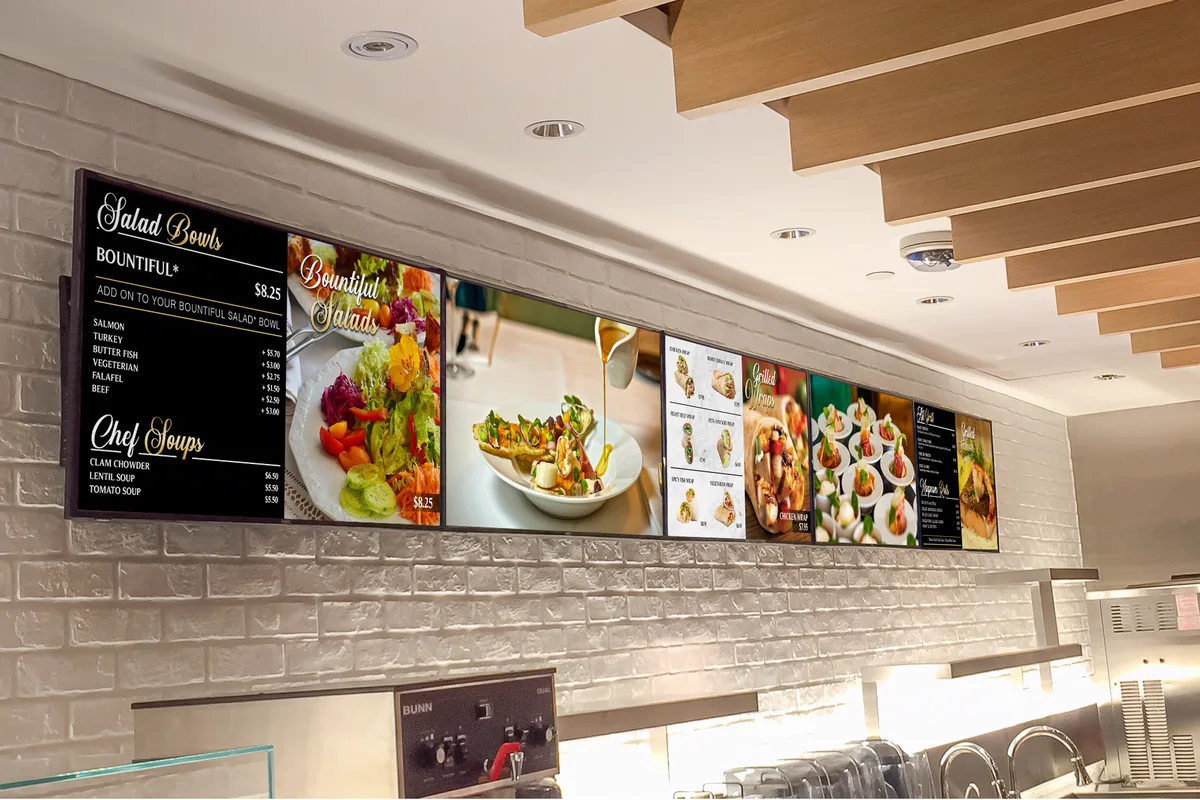
Key takeaways
- A digital menu board is one or more screens, in landscape or portrait, that you update online. Price and menu changes appear on screen within minutes.
- Netvisual software costs $19.99 per screen, per month. LG and Samsung SoC displays have the player built in, so no external media player is needed.
- A typical indoor project: screens $600 to $995 each, mounting $80 to $300 per screen, installation $250 to $600 per project and menu design $150 to $450 per screen. See the full cost breakdown.
- Brightness matters: 350 nits suits most indoor rooms, 500 nits suits bright rooms and food courts, 3,000 to 5,000 nits suits storefront windows and 3,000 to 4,000 nits suits drive-thrus. See window and drive-thru screens.
- Netvisual handles menu design, screens, software, installation and ongoing support, so you deal with one partner.
Netvisual digital menu boards at a glance
- 25+ yearsserving restaurants in Canada and the USA
- Thousandsof screens managed from coast to coast
- From $19.99per screen, per month for the software
- 1 to 1,000sof screens controlled from one web portal
- No media playerneeded on supported LG and Samsung SoC displays
- Keeps runningeven when the internet is down
What is a digital menu board?
A digital menu board consists of one or more displays (TVs) configured in either landscape or portrait orientation to showcase restaurant menu items, promotions, food imagery and video content. It serves as a modern replacement for traditional printed menus. Content is managed through a cloud-based platform, allowing menu items, pricing, promotions and images to be updated remotely and reflected on-screen within minutes.
Does my restaurant really need one?
In today’s restaurant environment, a digital menu board is more than just a display. It is a powerful sales and communication tool that engages customers while they are deciding what to order. By promoting featured items, limited-time offers and high-margin products, digital menu boards can help increase sales while keeping your menu current and visually appealing.
Read more: What are digital menu boards?, how to choose digital menu board software and how to create a digital menu board.
What’s included: one partner for the whole solution
Netvisual handles every aspect of your digital menu board deployment, from artwork and menu design to display hardware, software, installation, content updates and ongoing support, giving you a single partner for your entire solution.
Menu design
Our design team creates high-impact menu board designs for your restaurant, including promotional templates.
Screens and hardware
Commercial-grade LG and Samsung displays, plus a Netvisual media player where your screen needs one.
Cloud software
Update prices, images, videos and templates from any web browser, for one location or hundreds.
Installation
We install your screens and set up your menus, so you deal with one partner.
Content updates and support
Ongoing content updates and technical support after the installation.
Key features of Netvisual digital menu boards
Online control of prices and content
Control 1 or 1000s of digital menu screens from a single location. Update prices, images, videos and templates from our easy-to-use web-based digital menu boards software. Our software is highly reliable, built to operate 24/7.
Dayparting
Schedule breakfast, lunch, dinner, happy hour and promotional menus to appear automatically, exactly when they are needed.
Promotional templates
Maximize your daily sales with beautiful, easy-to-use promotional templates that highlight specific menu items. Change a promotion within seconds.
Multi-location and multi-region pricing
Run every location from one account and show the right prices for each region or restaurant.
Multi-language menus
Show your menu in more than one language, for example English and French.
Nutritional and allergy information
Help maintain compliance with Ontario menu labelling regulations and U.S. requirements, including FDA, New York City and California menu labeling rules, by displaying calorie, nutritional and allergen information directly on your menu boards. Update it in real time from our cloud-based content management platform.
Video takeover
Engage viewers with synchronized video content that spans multiple displays, creating a unified visual experience.
Remote screen monitoring
See the status of your screens in real time from your office.
Works during internet outages
Your menus keep running even if your internet connection goes down.
Custom content for clients
Our design team understands the design principles of digital signage and will help you create high-impact menu board designs.
One message across every screen
Engage viewers with synchronized video that spans multiple displays, known as a video takeover, or run a different menu on each screen. Everything is controlled from the same web portal, whether you manage one restaurant or a national franchise.
See more real projects and read what our clients say.
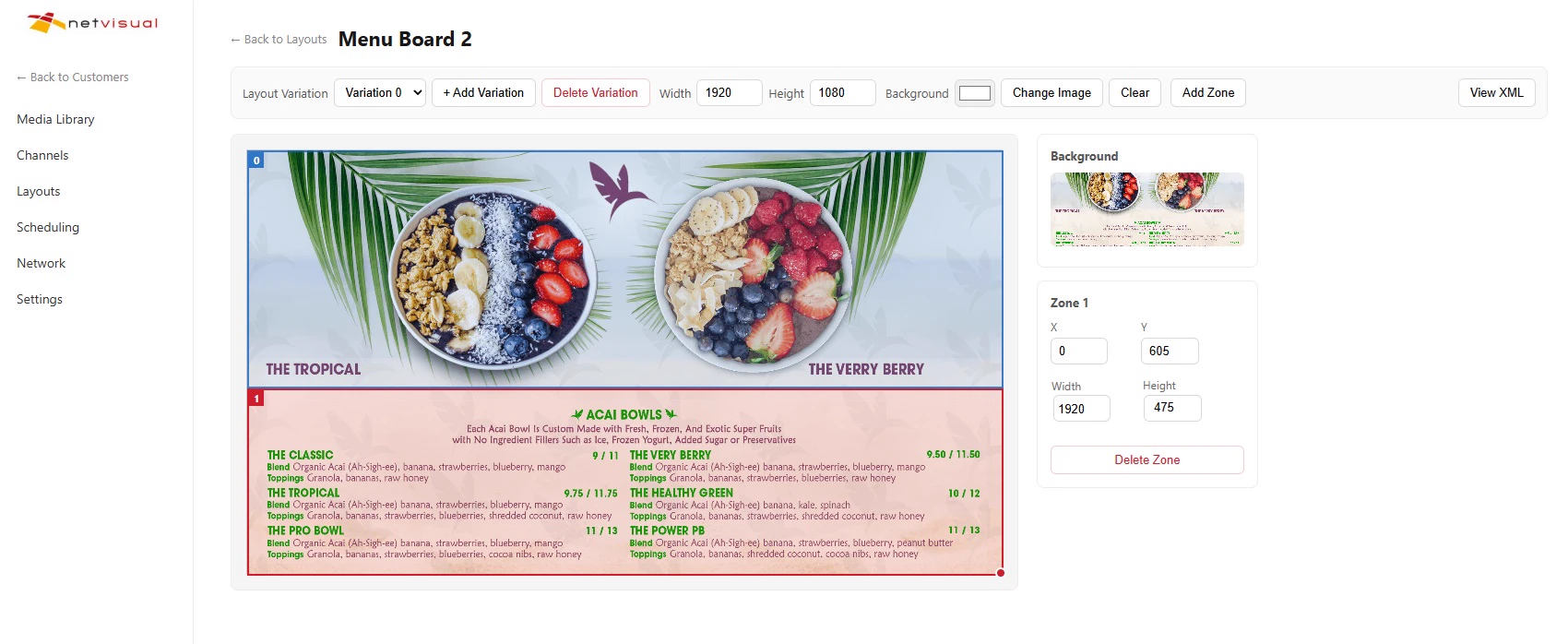
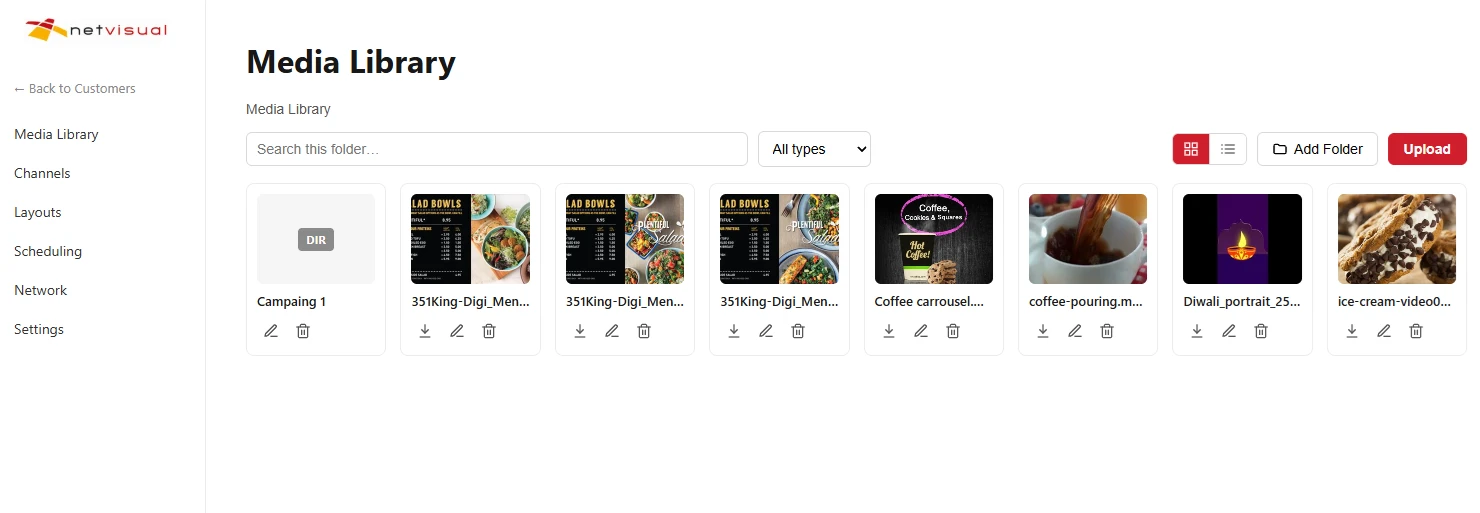
See the Netvisual menu board software
Update prices, images, videos and templates from any web browser. The portal brings your media library, layouts, scheduling and network of screens together in one place. Learn more about our digital menu board software.
Which screens do I need for a digital menu board?
Netvisual software runs on LG and Samsung System on Chip (SoC) displays with no external media player, and on regular TVs and commercial displays connected to a Netvisual media player.
| SoC display (LG or Samsung) | Regular TV or commercial display | |
|---|---|---|
| Media player | Not needed. The player is built into the display. | A Netvisual media player is connected to each screen. |
| Best for | New installations with the simplest setup and fewer devices to maintain. | Reusing the screens you already have. |
| Screen price | Typically $600 (43”) to $995 (55”), similar to traditional commercial displays. | Your existing screen, or a new commercial display. |
| Software | From $19.99 per screen, per month. Each screen typically needs its own license. | |
Brightness: 350 nits (LG UL3Q) is right for most indoor rooms. Restaurants with a lot of daylight, large windows or a food court location should choose 500 nits (LG UL5Q or UH5Q).
Explore our commercial grade screens, compare commercial and consumer displays and see the menu board size options.
Window-facing and drive-thru menu boards
Screens in a window or outdoors need far more brightness than screens indoors. Netvisual supplies both.
Window-facing displays
- Sizes: 49”, 55” and 75”, in portrait or landscape.
- Brightness: 3,000 to 5,000 nits, to overcome direct sunlight and glare on the window glass.
- Price: from $3,200 per screen.
- Best for: catching the attention of pedestrians and passing traffic.
Drive-thru menu boards
- Sizes: 46”, 49” and 55”, usually in portrait. Single, dual or triple units, on a wall or a pedestal.
- Brightness: 3,000 to 4,000 nits with automatic dimming.
- Built for outdoors: IP56 display and IP66 enclosure ratings, and a -30 to 50°C operating range.
- Options: integrated audio, speakers and vehicle proximity sensors.
- Price: $9,000 for a single unit to $23,000 or more for a triple unit.
How much do digital menu boards cost?
A digital menu board project has several parts. These are our prices for a typical installation.
| What you pay for | Price |
|---|---|
| Menu design (artwork) | $150 to $450 per screen, depending on the complexity of the layout, your branding and any animation. |
| Screens | $600 to $995 per screen for commercial-grade indoor displays (43” to 55”), depending on size, brightness and features. You can also reuse screens you already own. |
| Media players | $195 to $295 per screen. Displays with a built-in System on Chip (SoC) player do not need one, which lowers both hardware cost and installation work. |
| Mounting hardware | $80 to $300 per screen. |
| Installation | $250 to $600 per project, depending on the number of screens and the installation method, such as wall-mounted or ceiling-mounted. |
| Software and ongoing support | $19.99 per screen, per month, including content management, scheduling, monitoring and technical support. |
| Window-facing displays | From $3,200 per screen. |
| Drive-thru menu boards | $9,000 for a single unit to $23,000 or more for a triple unit. |
Example: a three-screen café
A café with three SoC screens, wall mounted, with custom menu design would pay about $2,740 to $5,835 once: screens $1,800 to $2,985, mounting $240 to $900, installation $250 to $600 and design $450 to $1,350. No media players are needed. The software adds about $60 per month for the three screens. These are examples only; your quote depends on your screens, layout and site.
Netvisual is a full-service provider: menu design, hardware supply, installation, software, training and ongoing support. From concept and rollout to long-term maintenance, we provide a complete end-to-end solution. Request a quote.
Menu board design tips
A good menu board is built around your sales goals and your screen layout. Our design team applies these rules to every project.
Make text readable from a distance
A common signage rule is 1 inch of text height for every 10 feet of viewing distance. Use it for titles. Item names can be smaller, about 0.5 inch per 10 feet, and descriptions smaller still, about 0.3 inch per 10 feet. Drive-thru menus are read from a car, so use larger text there.
Put contrast before color
White text on a dark background, or dark on light, is far easier to read at a distance than low-contrast color combinations. Keep brand colors for accents and highlights, and check contrast before you publish.
Balance images and text
Graphic menus pair product photos with names, descriptions and prices. Text menus fit more items on a screen. Use high-resolution, professionally edited photos, and remove backgrounds where it helps the layout look clean.
Use video with a purpose
Video works well for featured items, promotions and limited-time offers. Too much motion distracts customers, so keep the core menu static, clear and easy to follow.
Do not overcrowd a screen
If the menu is long, split it across several screens instead of shrinking the text.
Follow the labelling rules
Your designer needs to know the menu labelling rules where you operate. In Ontario, see our menu labelling requirements guide.
Digital menu boards for every kind of restaurant
Fast food restaurants
Combos, limited-time offers and high-margin items on clear, bold screens.
Coffee shops and cafés
Daypart menus, seasonal drinks and daily specials.
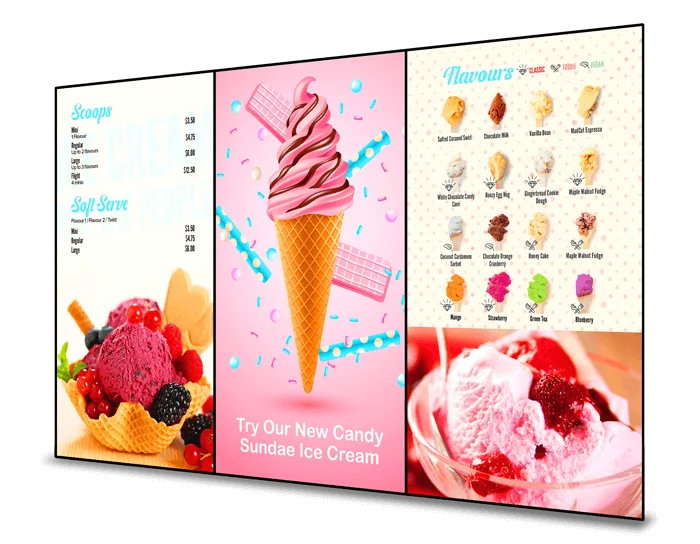
Ice cream shops
Flavours, toppings and promotions that change often.
Pizza shops
Pizzas, combos and deals you can update in seconds.
School cafeterias
Daily menus with nutritional and allergen information.
Drive-thru
Menu boards built for the order lane.
How it works
Consultation
Tell us about your restaurant, your locations and your menu. We recommend screens, sizes and a plan.
Menu design
Our design team creates your menu board designs and promotional templates.
Installation
We supply and install the screens and set up the software for your locations.
Manage and support
You update prices and promotions online whenever you need to, with our support behind you.
Learn about our installation, content design and technical support services. Want the step-by-step version? Read how to create a digital menu board.
Benefits of digital menu boards
Increase sales
Highlight high margin and promotional menu items. Attract more customers and excite their appetite.
Save time
No need to design, print, ship and install new menus. Update menus remotely across all locations within seconds.
Save money
Save money by eliminating design, printing, delivery, installation and disposal costs.
Enhance customer experience
Reduce customers’ perceived wait time. Make an immediate positive impression.
Increase brand value
Bring your restaurant’s brand to life with dynamic visuals that connect and captivate your customers.
Easier regulatory compliance
Edit your menu boards quickly to help you comply with menu labelling regulations.
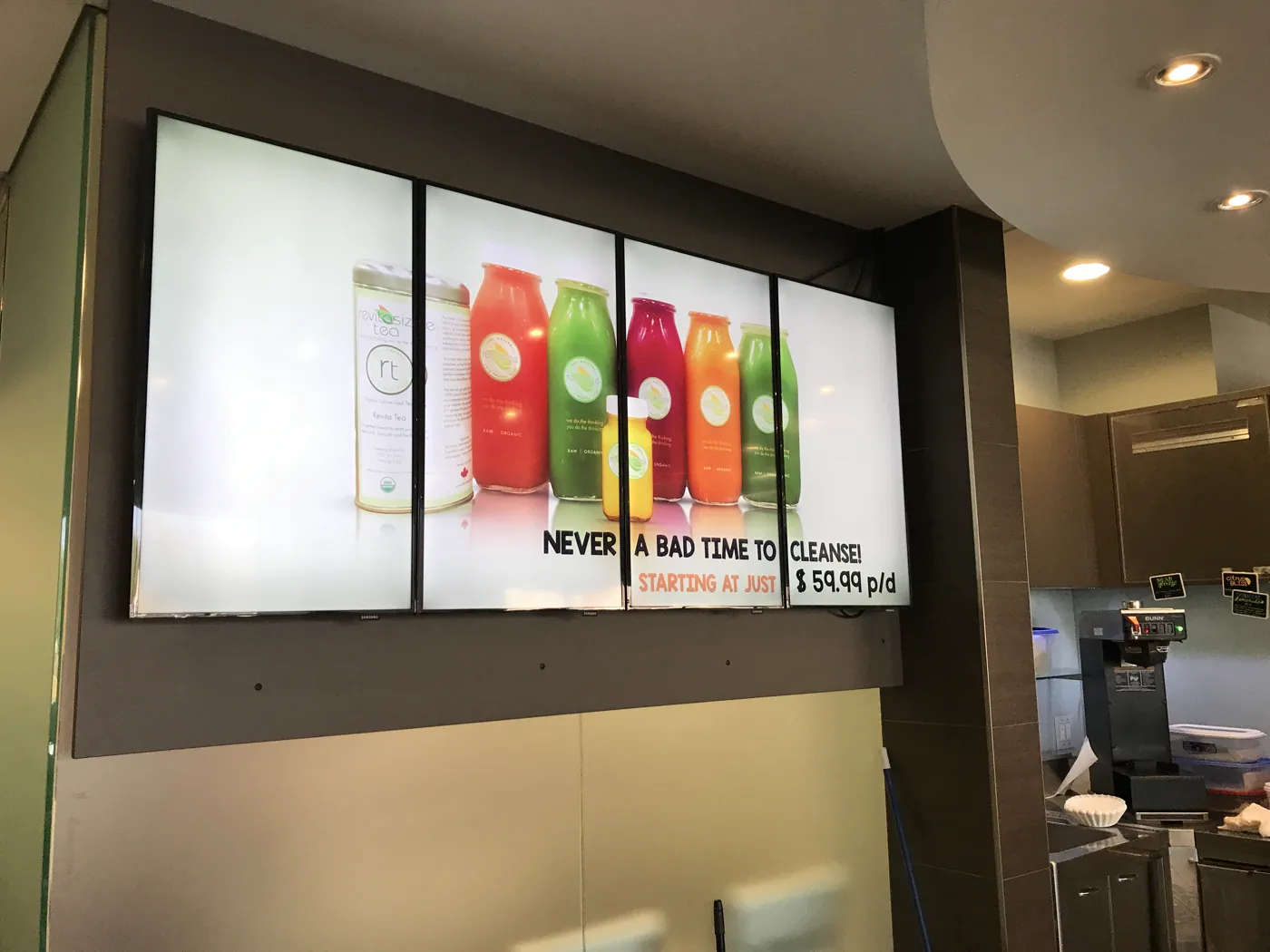
Real installations
Restaurants, cafés and ice cream shops in Canada and the USA run their menus on Netvisual. See more real projects.
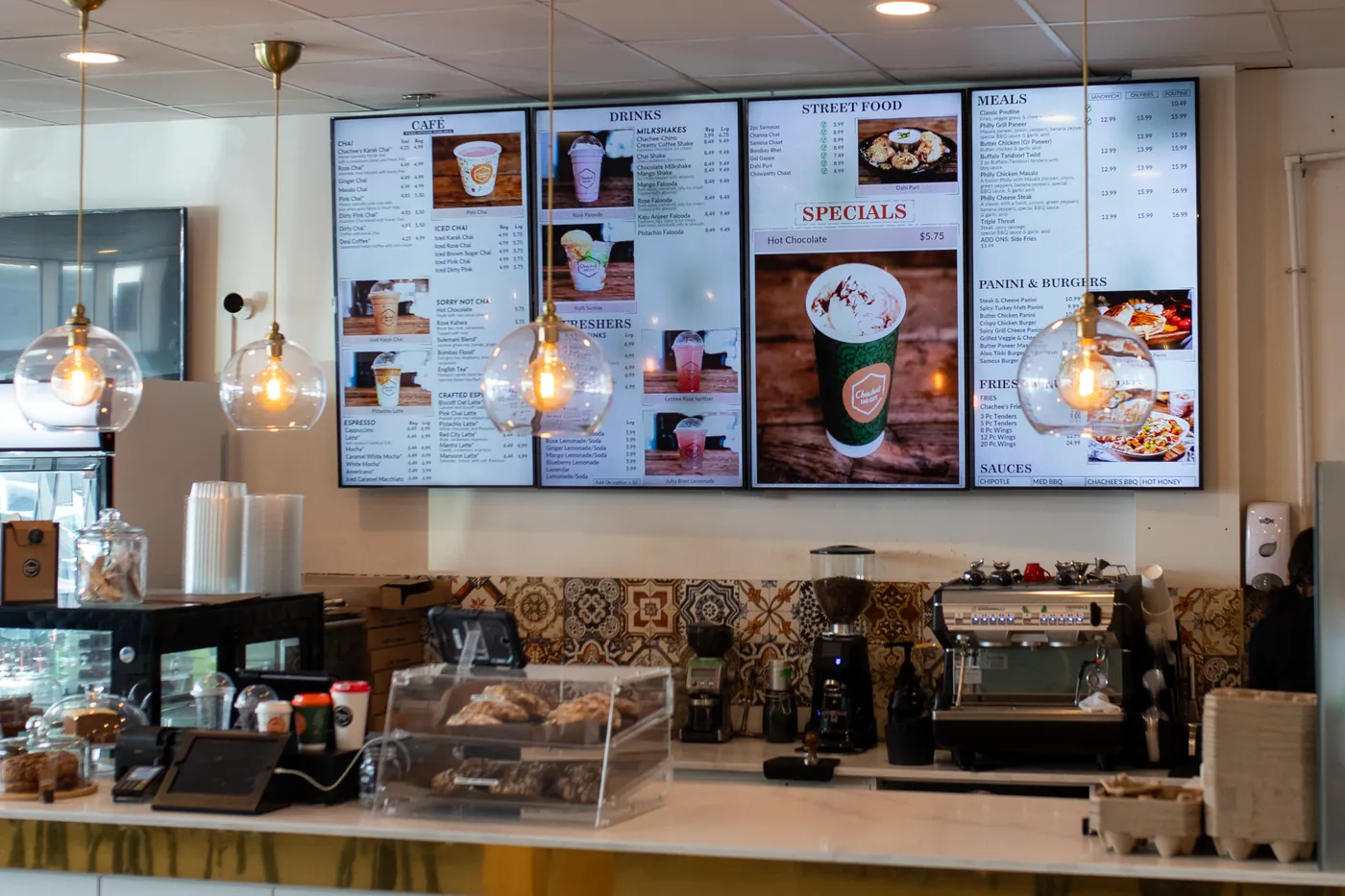
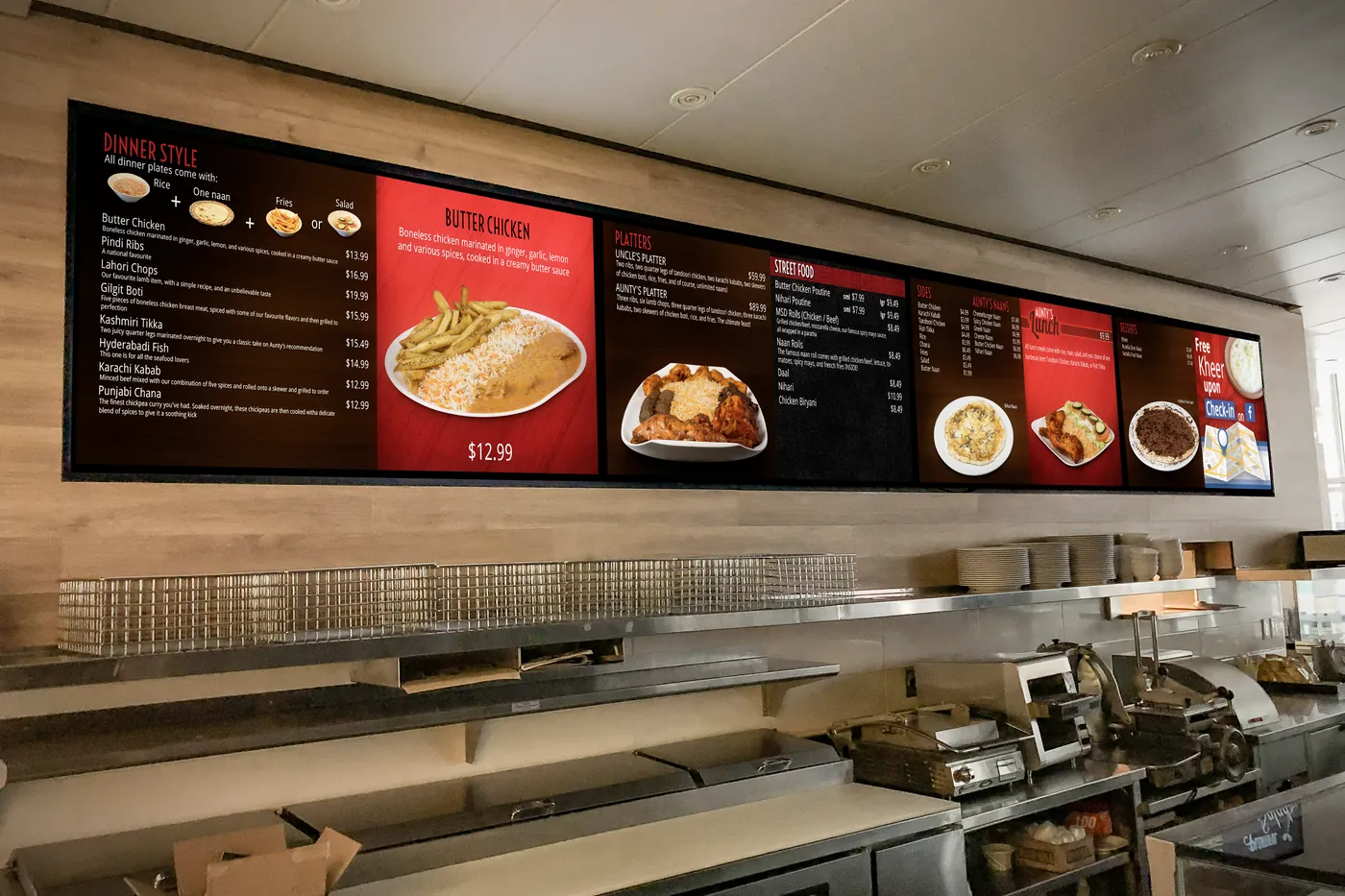
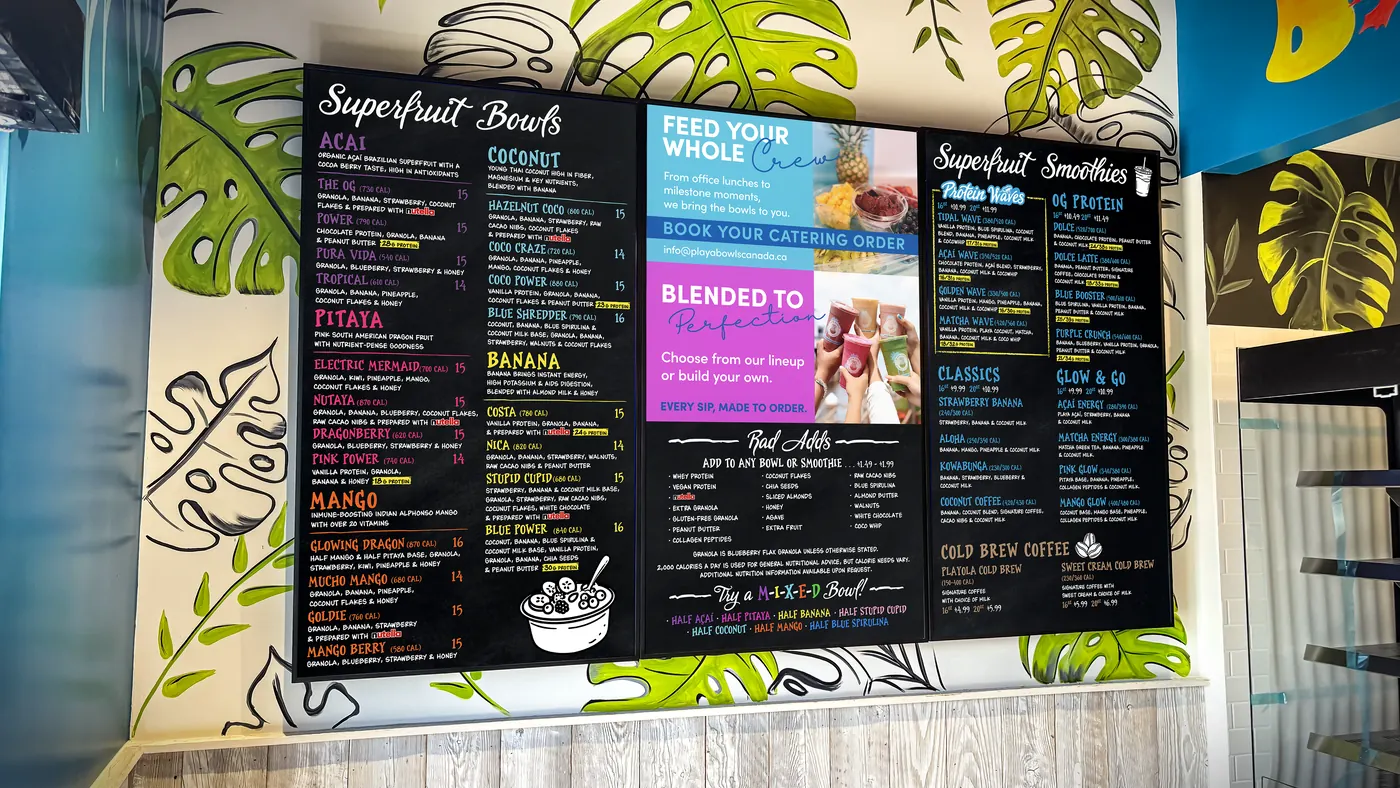
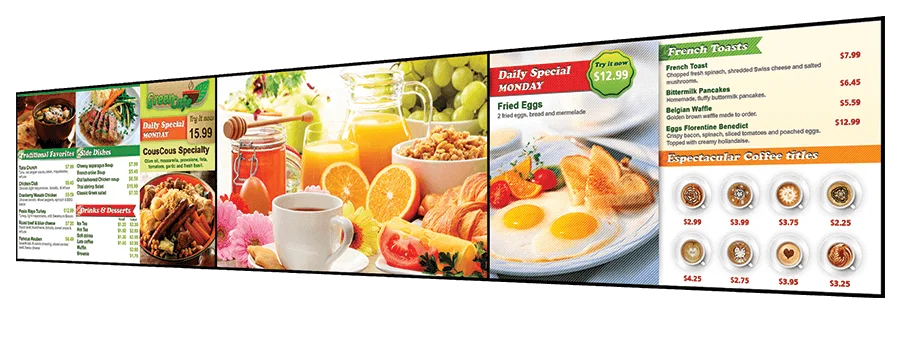
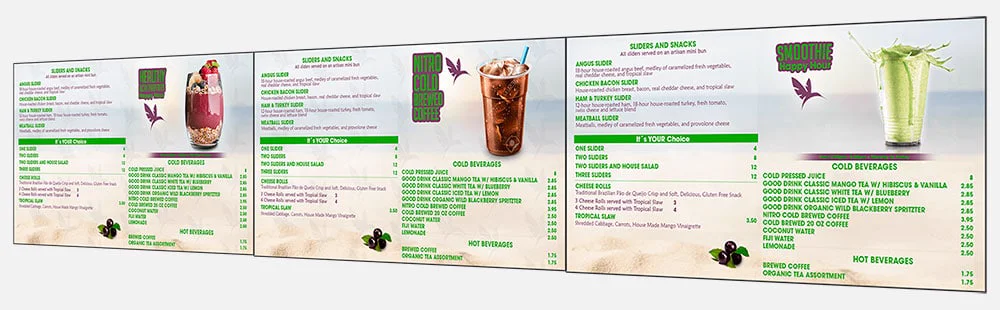
Menu design examples
Our design team creates menus and promotions that suit your brand and your screens.
Watch: Netvisual digital menu boards
Prefer to read? See our guide to creating a digital menu board.
Trusted by restaurants and food service brands
Our clients include Osmow’s, Big Smoke Burger, Wimpy’s Diner, Chopped Leaf, Paramount Fine Foods, Sodexo, Pumpernickels, Jerk King and many more.













What our clients say
“It has been a joy to work with Netvisual. The digital menu boards are reliable and the team is flexible with our brand’s unique needs!”
“I am very satisfied with our digital menu boards. They are very reliable and easy to manage. Thanks to Netvisual for the great product and service!”
“The Netvisual team has been very patient and accommodating. They worked with me to develop a design and layout I was happy with based on our unique needs. I’m very pleased with the final product. I’m also really happy about how easy it is to manage and edit product information on our digital menu boards both at our business and remotely, using Netvisual’s Web Management Portal.”
“Netvisual’s digital menu boards run and operate flawlessly. In our opinion, they are the best on the market. The best part of our whole experience is that there were never any technical issues!! Never!!”
“The Netvisual team explained the benefits and features of their digital signage solutions very well. Our digital menu boards have been very reliable and I would highly recommend them!”
Digital menu boards: frequently asked questions
What is a digital menu board?
A digital menu board consists of one or more displays (TVs) configured in either landscape or portrait orientation to showcase restaurant menu items, promotions, food imagery and video content. It serves as a modern replacement for traditional printed menus. Content is managed through a cloud-based platform, allowing menu items, pricing, promotions and images to be updated remotely and reflected on-screen within minutes.
How much do digital menu boards cost?
A typical project includes menu design ($150 to $450 per screen), screens ($600 to $995 each for 43” to 55” commercial displays), mounting hardware ($80 to $300 per screen), installation ($250 to $600 per project) and Netvisual software at $19.99 per screen, per month. Media players ($195 to $295 per screen) are only needed for displays without a built-in player. Window-facing displays start at $3,200 per screen and drive-thru menu boards range from $9,000 for a single unit to $23,000 or more for a triple unit. Request a quote.
I own a restaurant. Do I really need a digital menu board?
In today’s restaurant environment, a digital menu board is more than just a display. It is a powerful sales and communication tool that engages customers while they are deciding what to order. By promoting featured items, limited-time offers and high-margin products, digital menu boards can help increase sales while keeping your menu current and visually appealing.
Can I use a regular TV as a digital menu board?
Yes. Netvisual works with standard TVs and commercial displays connected to a Netvisual media player, allowing you to leverage the screens you already have.
What are System on Chip (SoC) displays?
System on Chip (SoC) displays are commercial displays with built-in processing power designed to run digital signage applications directly on the screen. Because the media player is integrated into the display, there is no need for a separate external device, resulting in a simpler installation, reduced hardware requirements and lower maintenance costs. Netvisual digital signage software is compatible with LG and Samsung System on Chip (SoC) displays, eliminating the need for an external media player.
How much do SoC displays cost?
Pricing for SoC displays typically ranges from $600 (43”) to $995 (55”) for comparable sizes, similar to traditional commercial displays.
Can I schedule different menus for breakfast, lunch and dinner?
Absolutely. With advanced dayparting, you can automatically schedule menu changes throughout the day. Breakfast, lunch, dinner, happy hour and promotional menus can appear exactly when needed, helping keep your content relevant and your operations efficient.
Is it possible to display a takeover video covering all screens at the same time?
Yes. Netvisual digital menu boards support video takeovers, which highlight a promotion, new product or event across all of your screens at once. The video is synchronized across the displays so that it plays as one unified visual experience.
Can I manage several locations and show different prices in each region?
Yes. You can control 1 or 1000s of screens from a single web portal, with multi-location and multi-region pricing support, so each location or region can show its own prices.
Will my menu boards keep working if the internet goes down?
Yes. Netvisual software operates even during internet outages, so your menus stay on screen.
Can digital menu boards display calorie and allergen information?
Yes. You can display calorie, nutritional and allergen information directly on your menu boards and update it in real time. This helps you maintain compliance with Ontario menu labelling regulations and U.S. requirements, including FDA, New York City and California menu labeling rules.
What services does Netvisual offer?
Netvisual handles every aspect of your digital menu board deployment, from artwork and menu design to display hardware, software, installation, content updates and ongoing support, giving you a single partner for your entire solution.
How much does a drive-thru digital menu board cost?
A single drive-thru menu board starts at about $9,000 and a triple unit costs $23,000 or more, depending on size, configuration and options. Drive-thru displays come in 46”, 49” and 55” sizes, usually in portrait orientation, as single, dual or triple units on a wall or a pedestal. They are built for the outdoors, with 3,000 to 4,000 nits brightness and automatic dimming, IP56 display and IP66 enclosure ratings, and a -30 to 50°C operating range. Integrated audio, speakers and vehicle proximity sensors are optional. Request a quote.
Can I put a digital menu board in my storefront window?
Yes. Window-facing displays come in 49”, 55” and 75” sizes and can be installed in portrait or landscape orientation. They start at $3,200 per screen. Because they have to overcome direct sunlight and glare from the window glass, we recommend displays with 3,000 to 5,000 nits brightness. Request a quote.
More answers: Frequently asked questions and menu labelling requirements in Ontario.
Request a free consultation
Tell us about your restaurant and we will recommend the screens, menu design and plan that fit. Prefer to talk?
Direct: (416) 850 5059
Toll free: 1 (877) 4 NETVIS
info@netvisual.ca